Editing an existing Purchase Delivery
A Purchase Delivery transaction can be edited if it has not been confirmed and completed.
The procedure is as follows:
- Select Supplier. Enter the Supplier name, or click on the ? button to Select [F3].
- Click on the "Select" button at the bottom of the screen to display the list of available transactions.
- Click to to highlight the appropriate Purchase Delivery transaction. (It will either be showing as Planned on Confirmed).
- Select [F3].
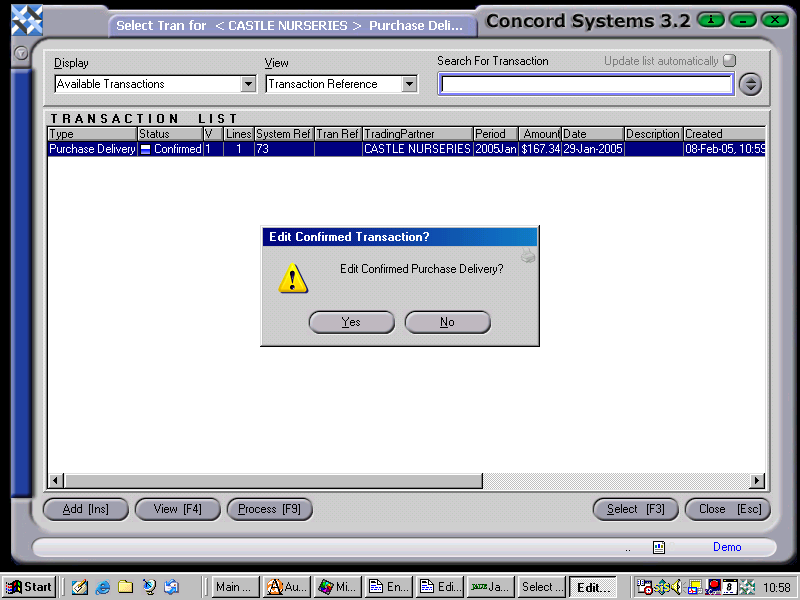
- If a confirmed transaction is selected, Edit Confirmed Purchase Delivery Yes/No? - answer Yes.
- Concord will not let a confirmed transaction be edited that now has a another transaction raised from it, such as a Purchase Invoice.
5. Edit details as required, by clicking on the appropriate box to change, or Add or Delete lines as necessary.
6. Process [F9], and select options as already set out in previous sections of this chapter.


