Searching for a Job
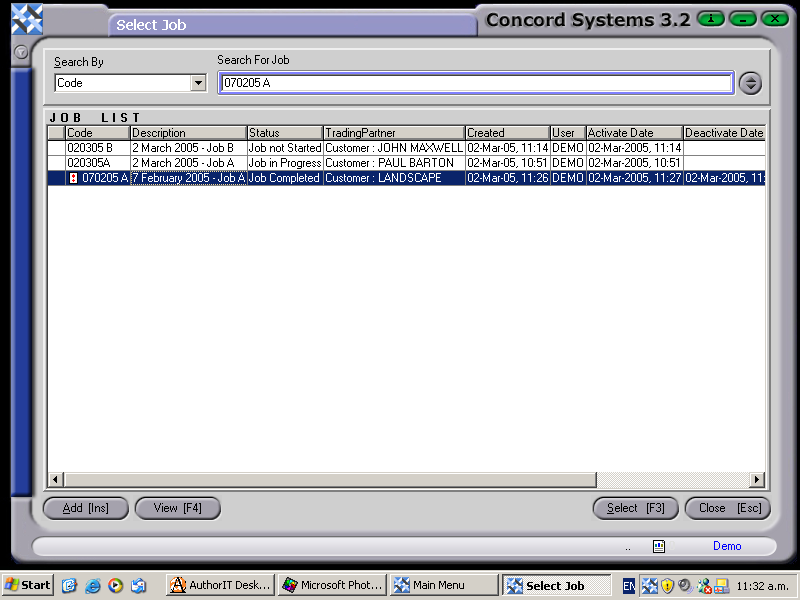
The options for searching for a Job are:
- By Code or by Job Status.
- Click on the down arrow key in the "Search By" box and select.
- Enter the Job number in the "Search by Job" box. The job being sought will be highlighted.
- Click on View [F4]. The Job Maintenance screen will appear. Follow the instructions in the Chapter on "Job Maintenance".
If a Job has an exclamation mark next to the Job Code, the indication is that the Job is currently INACTIVE.