


|
|
|
|
|
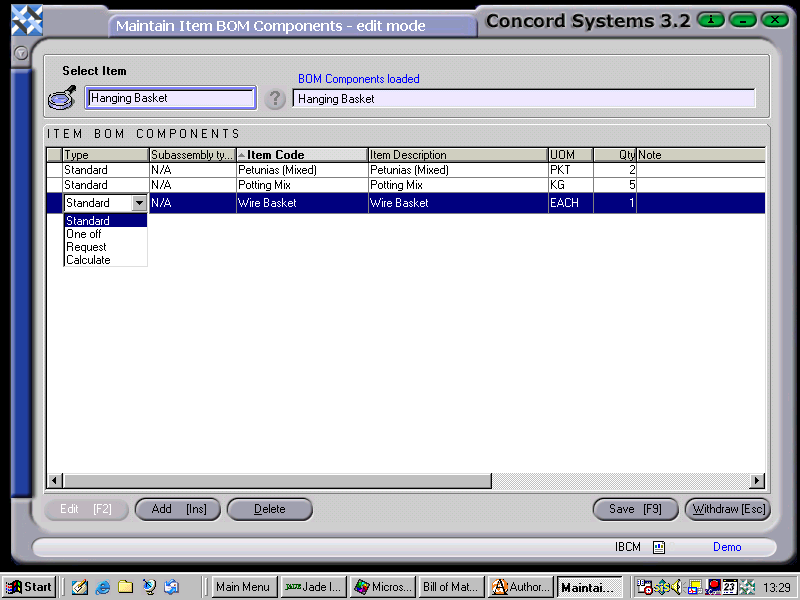
The procedure for creating or editing an Item Bill of Materials is as follows
Type: Select either
Subassembly Type
This will automatically appear when the Item Code is entered. It is usually N/A (Not applicable). When it appears as “Never Build”, it identifies the component as having it’s own set of component. In otherwords, the component needs to be built itself, before it can be used.
Item Code
This is the short description of the component (item) as entered within Item Maintenance <IM>. The Item description will automatically appear once the Item Code has been entered.
Unit of Measure.
This defaults to the Unit of Measure for the component as set up under Item Maintenance <IM>. It can be changed using the down arrow, but only if the Unit of Measure options are available as set up under Item Maintenance.
Quantity
Enter the quantity required in relation to the Type selected as above.
5. Save [F9].
Components of the Item Build can also be Deleted, by clicking on the icon 'Delete'.