Previous Topic

Next Topic

Book Contents

Book Index

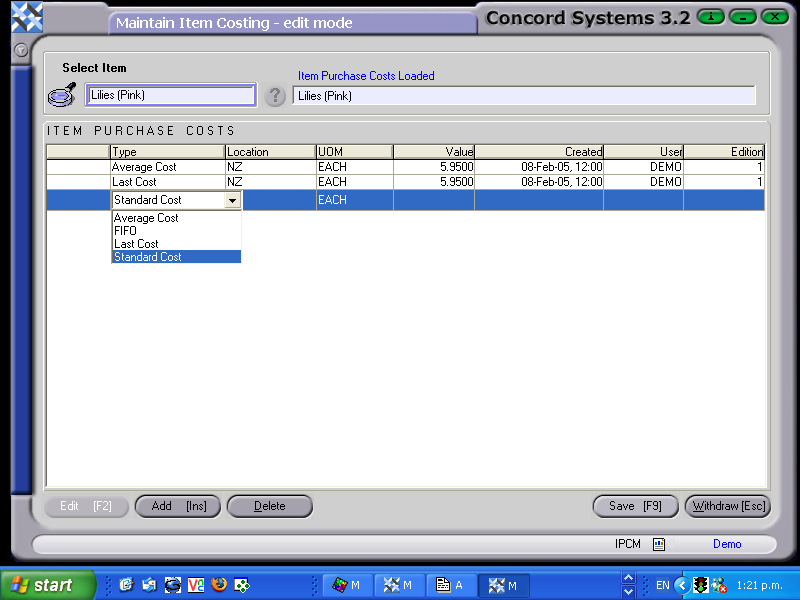
The procedure for editing or adding a purchase price into the Item Purchase Cost Maintenance function is as follows:

  1. Select the item by entering in the name, or using the [up/down arrow keys] on the keyboard, or click on the ? button for the Item List, and Select [F3].
  2. Edit [F2]
  3. To Edit an existing cost price, click on the appropriate line to highlight, and then amend as necessary from the headings listed below.
  4. To add a new purchase price, click Add [INS] and enter data under the following headings:

    CS Screenshot - linked

See Also

Item Purchase Cost Maintenance <IPCM>