|
|
|
|
|
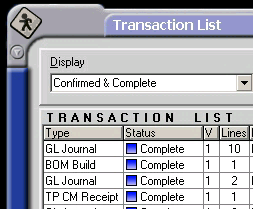
When a confirmed transaction is processed, its status changes to complete. It is at this point that financial accounts are updated.
A completed transaction is represented by a blue icon in the Status column.
A completed transaction cannot be cancelled or versioned, but is still able to be printed from the Process option.
Blue icon Cannot be Versioned Cannot be Cancelled Can be used as a source transaction Can be printed
|
|