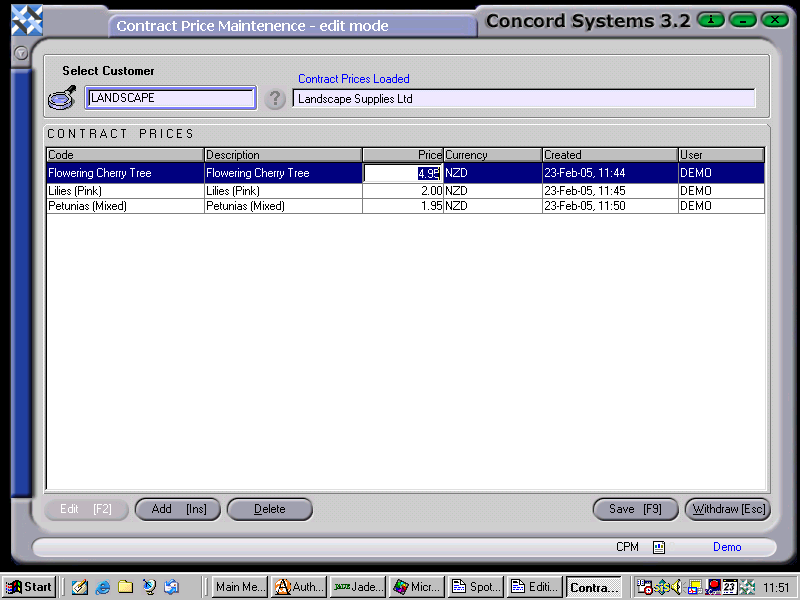
The procedure for editing an existing Contract Price is as follows:
Select a customer, either by
Entering the customer name
Use the [up/down arrow keys]
Click on the ? button and Select [F3] accordingly.
Edit [F2]
Click on to highlight the item to be edited.
Click on the Price box and change the price details accordingly.
Save [F9].
Close [Esc].
Contract Prices may also be added or edited through the Customer Maintenance <CM> screen, by clicking on Data Lists, selecting Contract Prices, and then following the above procedure.