


|
|
|
|
|
Once a transaction has been Confirmed it is no longer available for deletion, however it may be cancelled. A cancelled transaction is automatically reversed and Completed. The reversal undoes any impact the transaction has already had on the system.
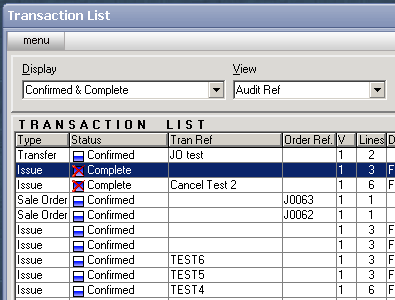
Cancelled transactions are identified by the Complete icon with a red x over the top. The user will be required to enter a reason for the cancellation. This reason is used to create an Event Log, which is visible from the Event Log List <ELL>, and the Event Log tab sheet visible on the transaction entry screen.