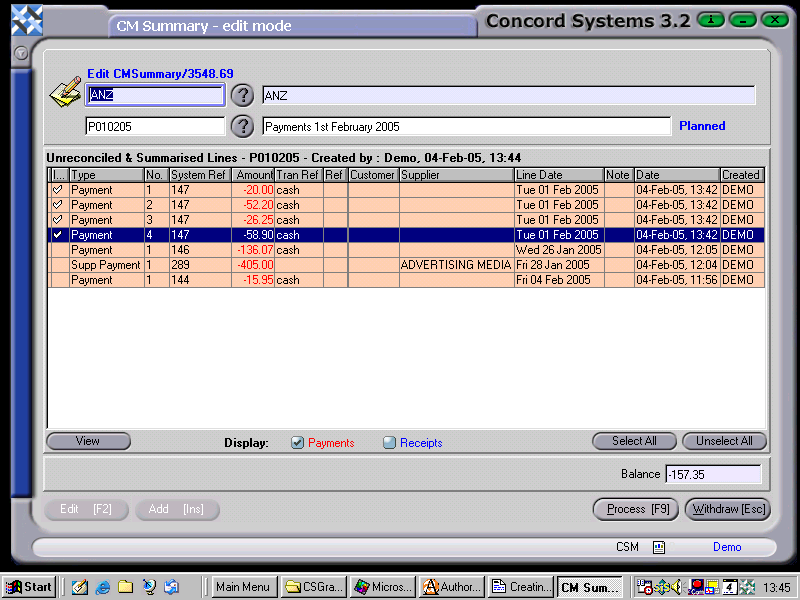
The procedure for creating a new cash summary is as follows:
Add [INS]
Select the appropriate Bank Account, by clicking the ? button, clicking to highlight on the required Bank account and selecting [F3]. This will display all unpresented transactions for this account.
Enter a code in the box underneath the Bank Account box. eg. CR310304
Enter a description of the code eg. Cash Receipts 31st March 04
Save [F9].
Double click on any transaction to select as part of the summary you are creating
(The display fields may be narrowed by clicking on either the "Payments" or "Receipts" button, instead of both, at the bottom of the screen).
7. As each transaction is selected, the total of the summary accumulates.
8. After completing selection, Process [F9].
9. The choices for processing are:
Process. The summary will be unable to be edited, and will now be displayed under the <BS> option, where transactions are presented.