|
|
|
|
|


Item Lot List <ILL>
The Item Lot List <ILL> displays a list of serial and batch tracked items.
The list may be displayed by Serial or Batch, which are selected by using the down arrow key in the "Search By" box, or by entering in the Item Lot code to narrow the search further.
If "Serial" is selected, the Item Lot List is displayed in Serial number order. Each serial number is unique to any given item number.
If "Batch" is selected, the Item Lot List is displayed in Batch number order.
If there are any quantities on hand, the Item Lot List displays this instantly. The serial or batch line is highlighted in white if stock is on hand, or blue if none is available. If the 'Hide Sold' icon is not selected, only items with stock on hand will be displayed.
Once an Item has been selected, click on View [F4]. The Item Tracking screen will appear for viewing.
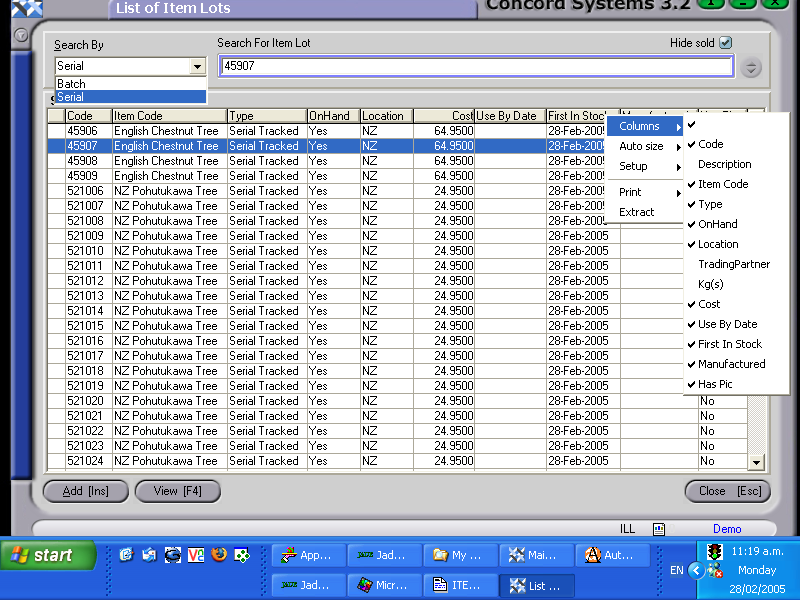
The column headings displayed can be changed by right licking on the column table heading, selecting "columns" and turning on or off the headings required.