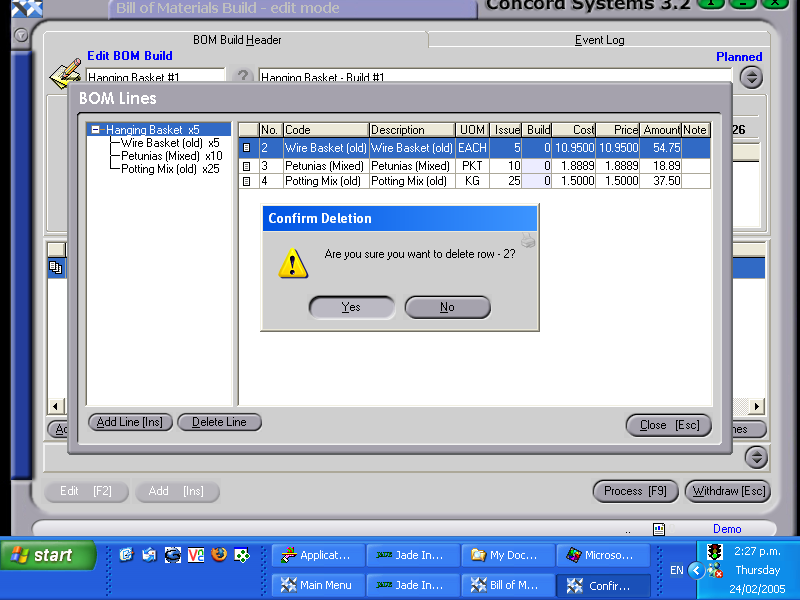
An Item Build may only be edited if it remains in a 'Planned' or 'Incomplete' state.
Possible reasons for an Item Build edit are:
The Item is no longer required to be built.
The quantity of the item being built needs to be changed.
The same reference number is to be used for a different item build.
A further item under the same reference number is required to be built.
The date or location of the build needs to be changed.
The procedure for editing an Item Build is as follows:
View BOM Build. Enter the reference number of the build, or click on the ? button, which will list the planned or incomplete item builds.
Click on the appropriate line to highlight and View [F4].
Edit [F2]
Click on the line to be altered, and make the necessary adjustments, or click on the Add Line or Delete Line button.
By right clicking on the document icon to the left of the line number, and selecting "Bill of Materials", the 'Item BOM Component Maintenance' <IBCM> function will be entered. This will list the table of components necessary for the build. Click on the appropriate box and add to, delete or edit as appropriate, then Close [Esc].
5. Process [F9]. The options available are:
Process, but do not complete immediately - The item build will be confirmed but not completed, and will be able to be edited by creating a new version.
Process and complete immediately - The item build will be confirmed and completed and will be unable to be edited.
Hold - The item build will remain planned and will be able to be edited.
Delete - The item build will be deleted.
To Process a 'Held' or 'Incomplete' transaction, proceed to Step 2. as above, click on the line to be edited, and click on Process [F9]. This will circumvent the viewing of the source transaction.