|
|
|
|
|


Control File Maintenance <CFM>
This is the function that enables settings to be changed to suit the needs of the Concord User.
Concord operates on a number of default settings within the Control File, some of which are unable to be altered, but most of which can be modified for a particular purpose unique to the User or User Group.
A diagram demonstrating the possible relationships of default settings for transaction entry and function related screens is shown below, using the Sales Quote <SQ> screen as an example.
Level 0 – Concord Default Settings
Level 1 – Company Default Settings
Level 2 – User Group A. eg, Administrators
Level 2 – User Group B. eg. Sales Reps
Level 3 – eg. Joe Smith, Rep
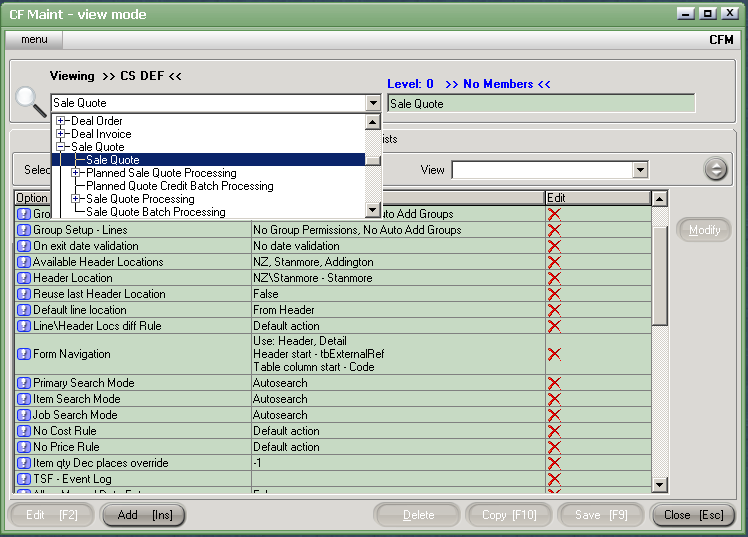
This demonstrates that Joe Smiths’ options for Sales Quotes <SQ> are now in place as follows:
- He has the same options as all other Sales Reps, who have inherited their particular options under Acme Company, but, he has options within the ‘Sales Reps’ control file, which are unique to himself.
The term ‘options’ or ‘settings’ within this text refers to abilities for data entry, report requests, and functions within screens.
How was this achieved?
The Control File ‘Sales Reps’ was added by:
- Clicking on the word “Acme Company”
- Clicking Add [INS], and typing in the new control file “Sales Reps”
- Save [F9]
- Add Group * This links membership of the qualities of the Control File to the user or user group previously set up in <UGLM>. It is recommended that the same name be given to the Control File as their user group.
- OK [F9]
Likewise, Joe Smith was added as a Control File, using the following procedure:
- Click on the Control File “Sales Reps:
- Click Add [INS]
- Type in the new Control File (ie. Joe Smith)
- Save [F9]