Creating a new Special Discount
The procedure for creating a new Special Discount within the Special Discount Maintenance <SDM> function is as follows:
- Edit [F2].
- Add [INS].
- Priority. Create a Priority Level.
- Description. Enter a description if required, of the discount being created.
- Discount Method. Click on the down arrow to select either the 'Cost Plus' method or the 'Sell Less' method.
- Item Code. Enter the Item that the discount applies to. Use the [up/down arrow keys] to select.
- TP Code. If the Special Discount is for a specific customer, enter here. Use the [up/down arrow keys + shift key] to select.
- Discount percentage. Enter.
- Save [F9]
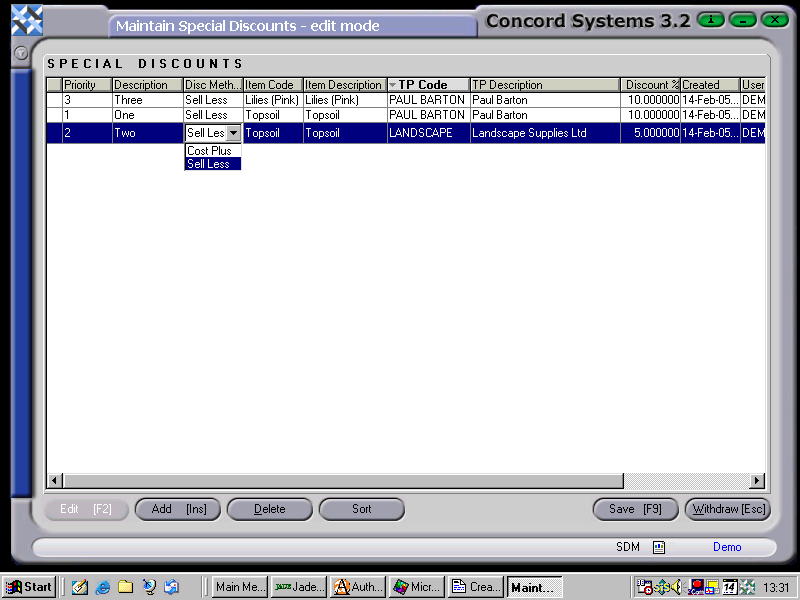
By clicking on the "Sort" icon at the bottom of the screen, the Discounts will be sorted in order of priority.


