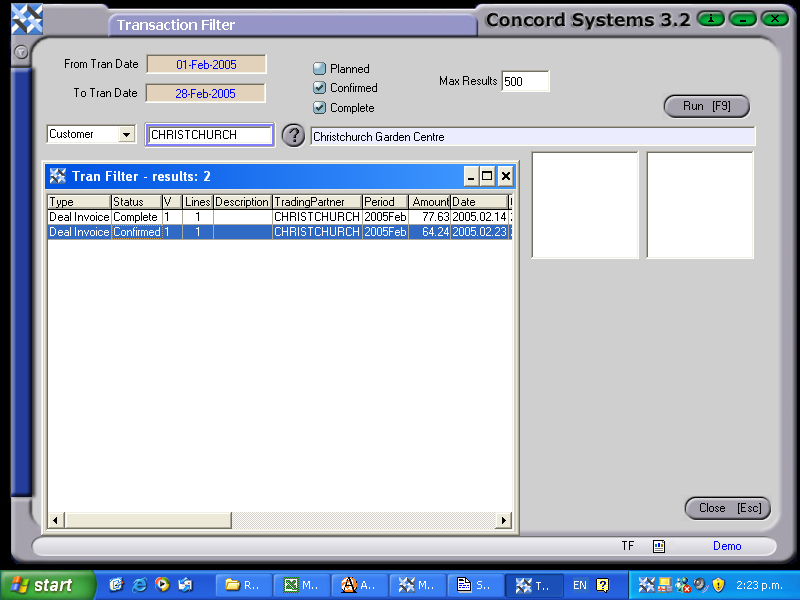
To search for a transaction using the Transaction Filter <TF> function, the procedure is as follows:
From Tran Date/To Tran Date. Select appropriate dates. To change the day, use the [up/down arrow keys]. To change the month, use the [up/down arrow keys + shift key].
Planned/Confirmed/Complete. Select the status of the transaction by clicking on the appropriate icon. If unsure, two or more options can be selected at the same time.
Customer. Click on the down arrow to select whether the transaction relates to a Customer, Supplier or Any. Once the choice has been made, narrow the search further by selecting a particular customer or supplier by clicking on the ? for the Customer List or Supplier List. Select [F3].
Run [F9]
If any transactions are within the selection criteria, they will appear in a table. By double clicking on the required record, the source transaction will appear, for either viewing, or editing.