


|
|
|
|
|
The procedure for a Special Instruction required to be printed on a Deal Quote, is as follows:
Text boxes for "Delivery Instructions" and "Packing Instructions" will appear.
2. Click in the relevant box for the information to be entered as required.
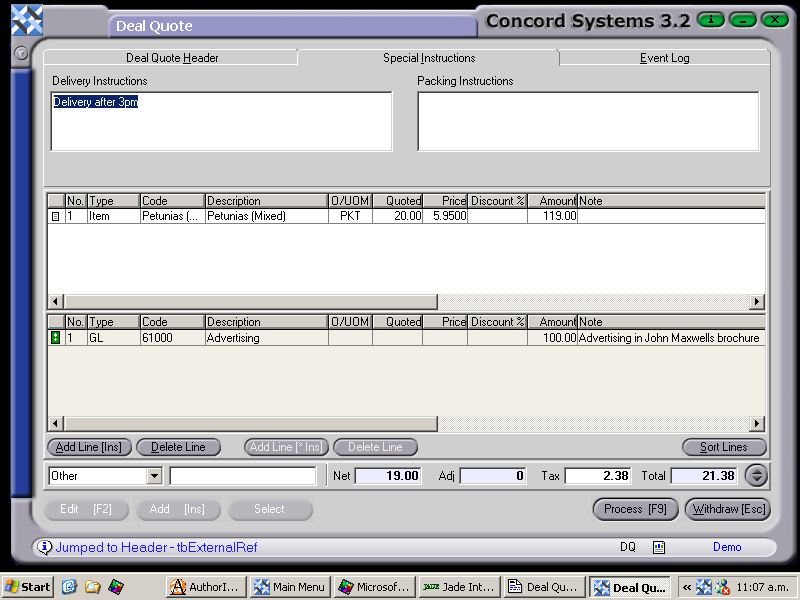
3. Process [F9], and select options as detailed in the section "Entering a new Deal Quote", within this chapter.