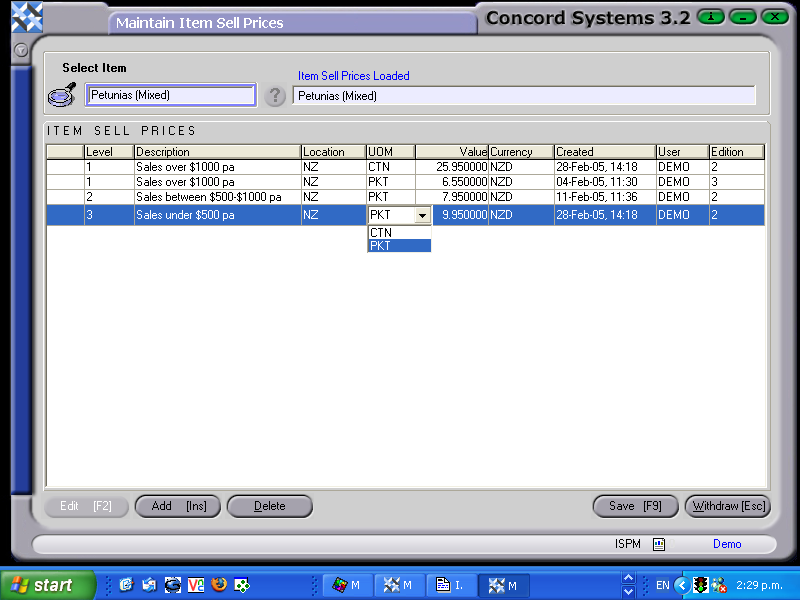
The procedure for adding or editing a sell price is as follows:
Select item by either entering in the item code or using the [up/down arrow keys].
Edit [F2]
To Edit an existing Sell price, click on the appropriate line to highlight, and amend accordingly.
To Add a new sell price, click Add [INS] and enter details in the following sections:
Level. Different levels of Sell Prices may be created. Generally, the higher the level, the cheaper the sell price. The levels can be linked back to the customer, through the Customer Maintenance <CM> screen (in the “Financials” section).
Location. Click on the down arrow button to view the options for Locations which have previously been set up under Group Maintenance <GM>. Concord allows different sell prices for different locations.
UOM. Click on the down arrow button to view the Unit of Measure options, which have previously been been set up under Item Maintenance <IM>. Concord allows a sell price for different units of measure for the same product.
Value. Enter in the correct price. (usually GST exclusive).