


|
|
|
|
|
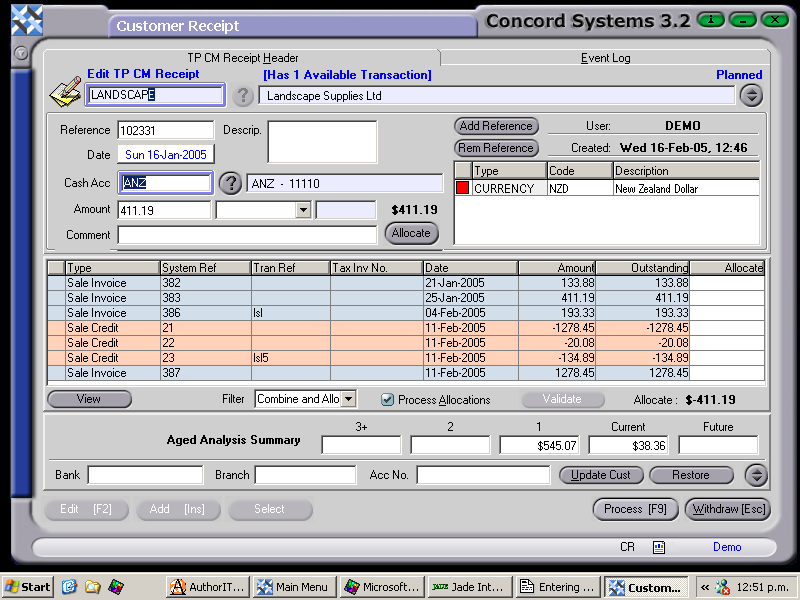
The procedure for entering a Customer Receipt is as follows:
To change the day, use the [up/down arrow keys]. To change the month, use the [up/down arrow keys + shift key].
To allocate a Customer Receipt to outstanding invoices within this screen, ensure the "Process Allocations" icon is selected. Refer to the instructions set out under the section "Allocating a Customer Receipt", within this chapter.
4. Process [F9]. The options are as follows:
The "Auto Allocate" icon should be selected if the receipt allocation is required to be processed. It will automatically be deselected if the "Hold" processing option is chosen.