Previous Topic

Next Topic

Book Contents

Book Index

Merge Item UOMs

For items with incorrect UOM conversion rates where transactions have been created, the process for rectification is as follows :-

Example - 'BOX' incorrect conversion rate 0.1

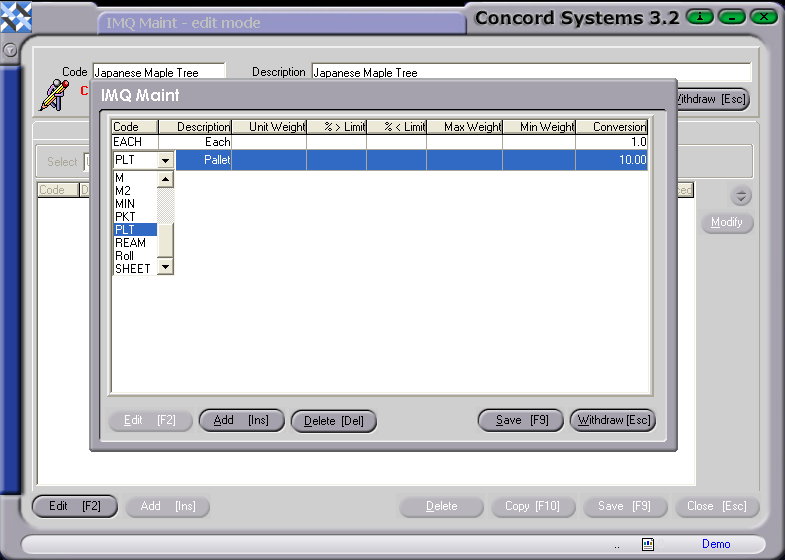
  1. Create a Dummy UOM called something like 'BOX-ERR' with conversion rate 0.1

    CS Screenshot - linked

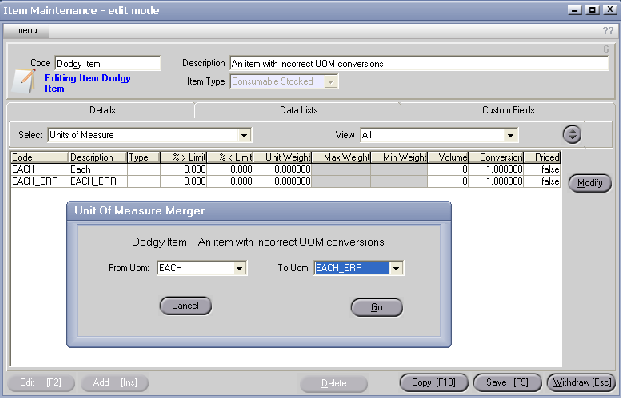
  2. Merge 'BOX' into 'BOX-ERR'

    <IM> -> Menu -> File ->Merge Item Uoms

    CS Screenshot - linked

  3. Create new 'BOX' Item UOM with correct conversion rate for future transactions.

See Also

Item Units of Measure (UOM)

Editing UOM's and Conversion Rates