


|
|
|
|
|
Hit Get Items [F6].
Click the Filter Tab
Click the ? Icon to open a list of available filters.
Note : If the filter you require is not available, Concord developers are able to create new ones for you.
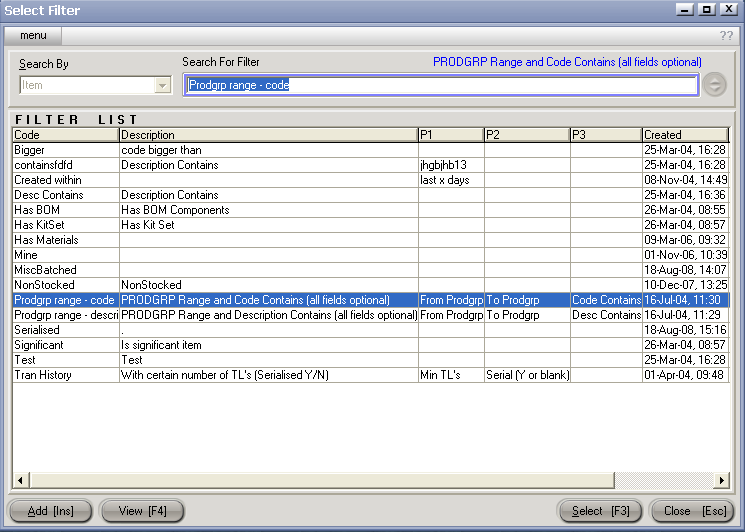
Double click the appropriate filter to select it.
Enter any parameters required (eg. from PRODGRP, to PRODGRP or created since)
Hit Run.
Hit Select [F3] to import the items onto your PMU.
Note: Unwanted Items can be manually removed prior to processing the PMU
Hit Process [F9] to create / update Sell Prices.