


|
|
|
|
|
Prior to entering a new Sales Invoice for a stock item, ensure that all purchase invoices and stock adjustments have been entered into the system, so that potential negative stock issues do not arise.
The procedure is as follows:
For regular customers, all details should have previously been set up under Customer Maintenance <CM>. For a new or rarely used customer, ensure that the Group Type for Tax and Currency have been set up correctly under <CM>.
(The invoice can be formatted further by selecting the 'Comment' option on another line, and entering in any relevant headings).
By right clicking on the headings and turning them on or off, as many of the boxes along the table may be completed as required, although the Deliver and Invoice box must be completed.
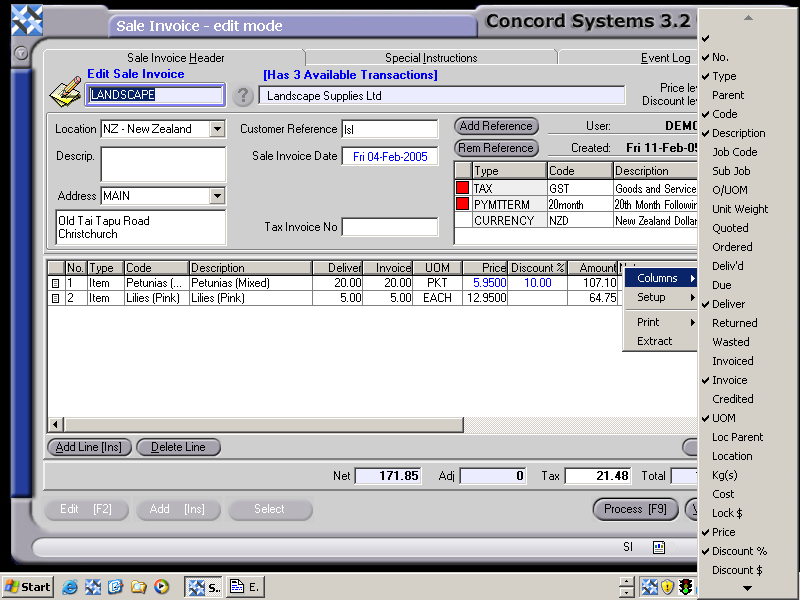
7. Process [F9], selecting from the following options:
Debit Accounts Receivable (Debtors)
Credit GST
Credit Sales
Credit Discount allowed
Debit Closing Stock
Credit Stock on Hand
(NB. The Sales Invoice may also be cancelled at any time before processing [F9], by clicking on the Withdraw [Esc] button).
The invoice may be printed out before completing immediately, either to the screen or to a selected printer.