Previous Topic

Next Topic

Book Contents

Book Index

Deal Invoice Special Instructions

To add a Special Instruction to print out on the Deal Invoice, the procedure is as follows:

  1. After the transaction details have been entered, but before the [F9] Process button has been selected, click on the Special Instructions header at the top of the screen.

    Text boxes for "Delivery Instructions" and "Packing Instructions" will appear.

    2. Click in the relevant box to type in information as required.
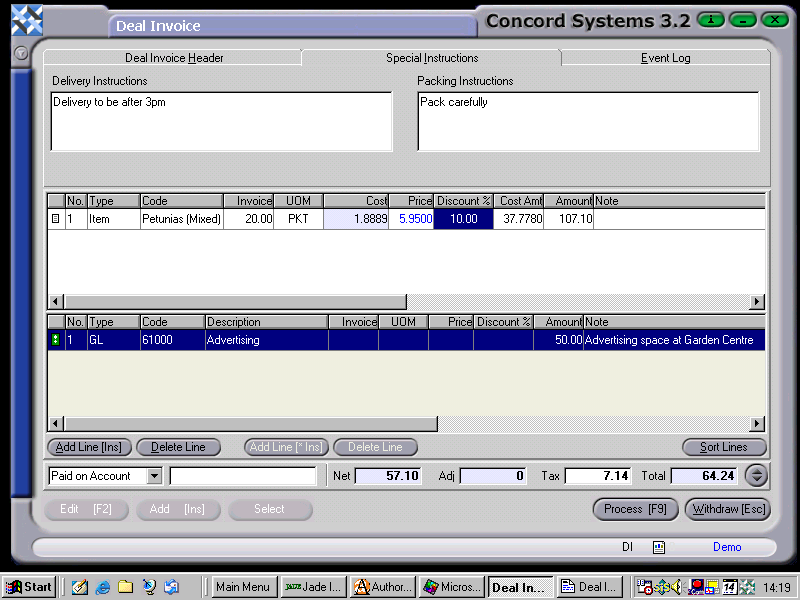
    CS Screenshot - linked

3. Process [F9], and select options as detailed in the section "Entering a new Deal Invoice" within this chapter.

See Also

Deal Invoice <DI>

Entering a new Deal Invoice

Editing a Deal Invoice