


|
|
|
|
|
The initial action of a Stocktake procedure is to prepare a 'Stocktake Header'. This creates a current quantity snapshot of all included items.
Note that a Stocktake Header that is processed to Confirmed cannot be modified.
The Procedure for creating a new Stocktake Header is as follows:
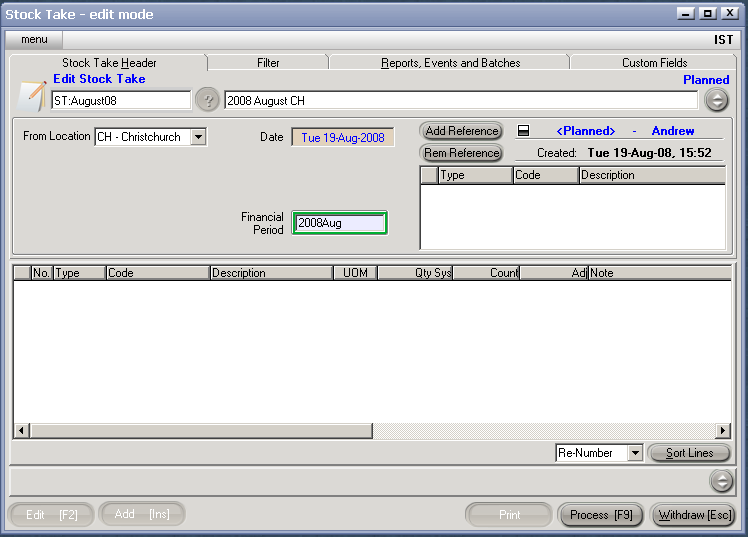
If no filtering is required, ie stocktake all items in all locations, skip the following filtering options.
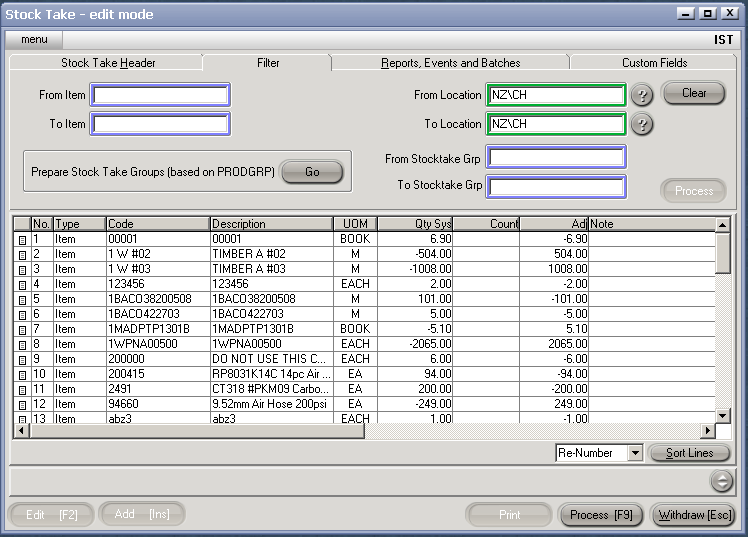
The Qty Sys column shows the current on hand qty.
The Adj column shows the qty adjustment that will be applied when the stock take transaction is completed.
The count column will show the sum total of all counts that have been entered against the stock take.
Note that filter Process can only be run once per StocktakeHeader.
If an incorrect filter has been applied, a new Stocktake Header should be created; the unused one can be cancelled.
Important Notes
1. Stocktake Counts may only be added against Confirmed Stocktake Transactions.
2. Confirmed Stocktake Transaction can not be edited.
3. At this point - although items are included on the header, there will not be any adjustment to stock quantity or value until the physical count has been entered and processed.
