


|
|
|
|
|
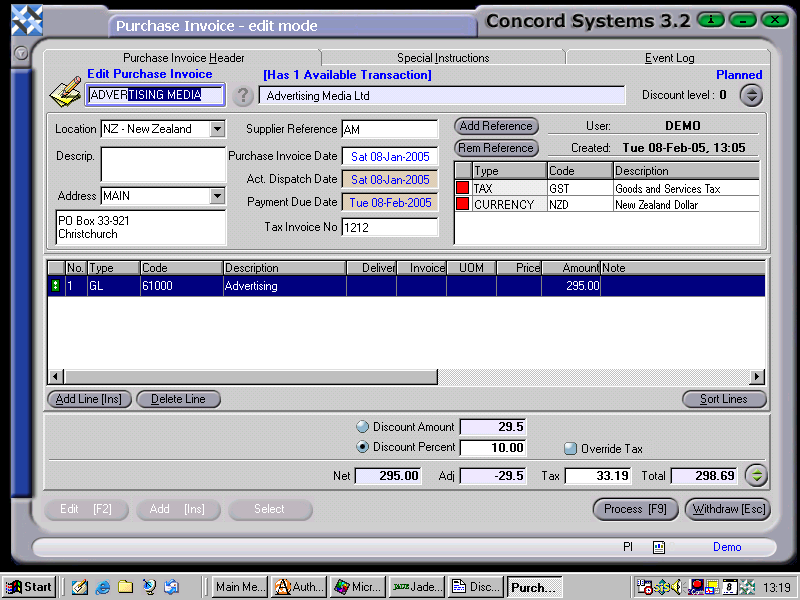
Within Concord, the option is available to enter a global discount percent or amount against a Purchase Invoice.
Click on the up arrow button to the right of the Total box situated at the bottome right of the screen. The Discount options will appear. Select either the Discount Amount or Discount Percent button and enter the appropriate figure, then "refresh" the total.
This procedure is demonstrated in the screenshot below:
.