|
|
|
|
|
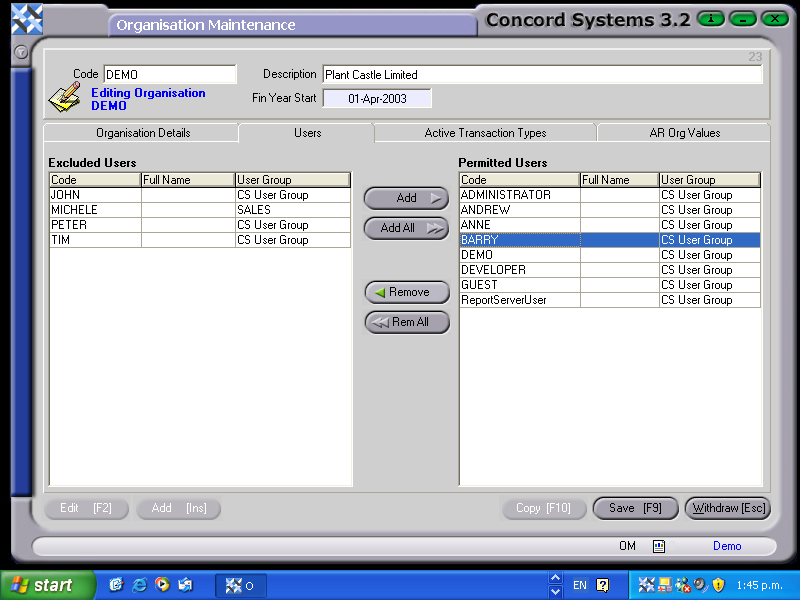
By clicking on the header "Users", Users permitted to be logged in to Concord are able to be added, viewed or deleted.
Click on a user either in the "Permitted Users" or "Excluded Users" table, then either Add or Remove to or from each table as required.
Save [F9].