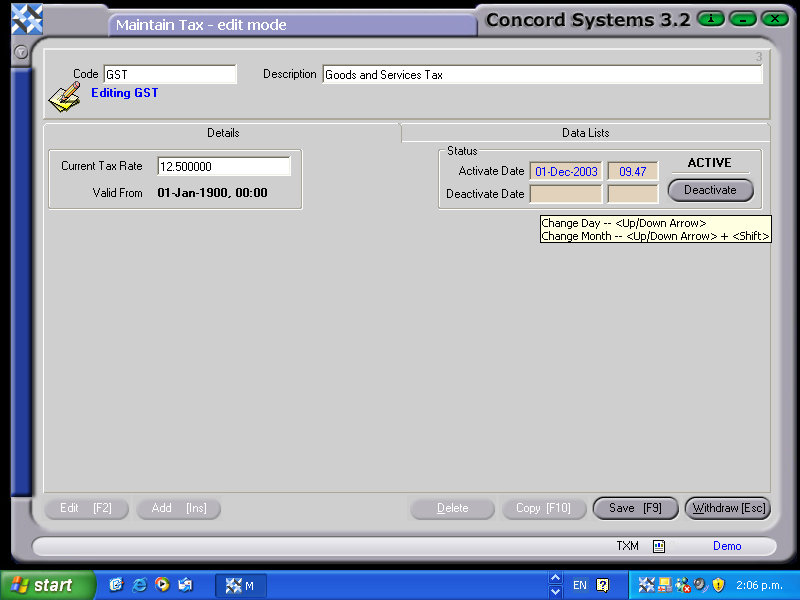
The procedure for creating a new Tax Code is as follows:
Add [INS].
Code. Enter the new tax code.
Description. Enter the description.
Save [F9].
Current Tax Rate. Enter the tax rate for the new code. If it is zero, enter "0.00".
Valid From. This will automatically default to the current date once Save [F9] has been selected. (Ensure that under the function Organisation Maintenance <OM>, that the "Tax Balance Period Definition" has been set up. If it is blank, then it will be unable to be saved).
Toggle. Click on the toggle button which will ACTIVATE the code.