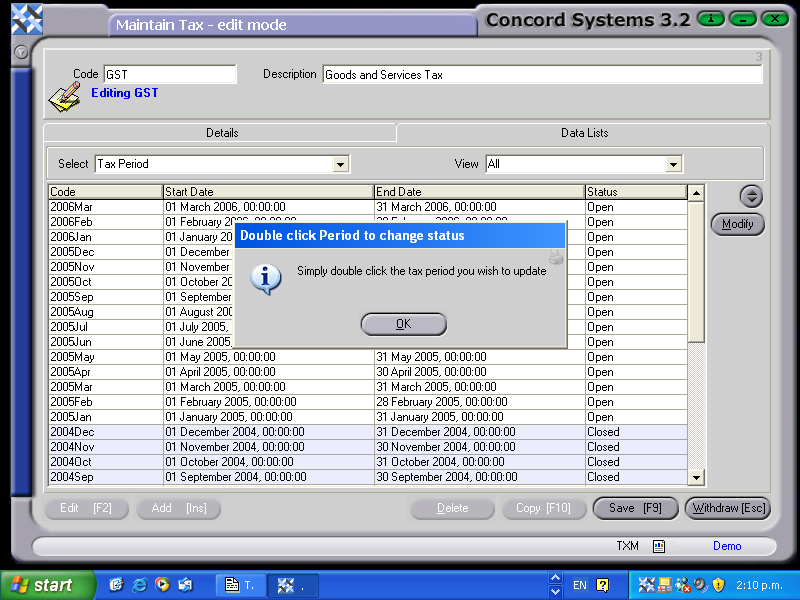
Tax Maintenance Data Lists
Within the Tax Maintenance <TXM> function, under the "Data Lists" header, the User is able to view the Rate History, and edit or view the Tax Period.
The Procedure is as follows:
- Select Tax Code.
- Click on Data Lists header.
- Select. Use the down arrow key to select Rate History or Tax Period.
- Rate History. View only.
- Tax Period
- Edit [F2]
- Double Click on the Tax Period to be edited. It will either Open or Close the period. The closed periods are shaded in blue for display purposes.
- Save [F9].