


|
|
|
|
|
If a Supplier is being used on a regular basis, all the relevant details pertaining to that supplier should be already set up under Supplier Maintenance <SM>. For a new or irregular supplier it should be ensured that the Group Type for Tax and Currency have been set up correctly under <SM>.
The method used for entering a Purchase Invoice is as follows:
(The invoice can be formatted further by selecting the Comment option on another line, and typing in any relevant headings).
As previously stated, if the supplier is set up correctly within <SM>, the usual Tax Code (GST), and Currency ($NZ) will automatically appear.
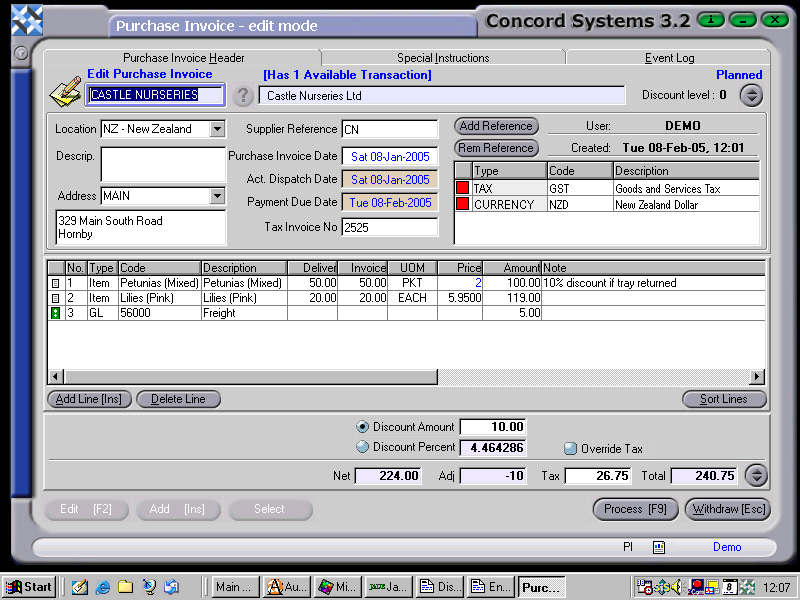
4. Process, using the following options
Debit GST 26.75
Debit Purchases 219.00
Debit Freight 5.00
Debit Stock on Hand 219.00
Credit Accounts Payable 240.75
Credit Discount Received 10.00
Credit Closing Stock 219.00