|
|
|
|
|
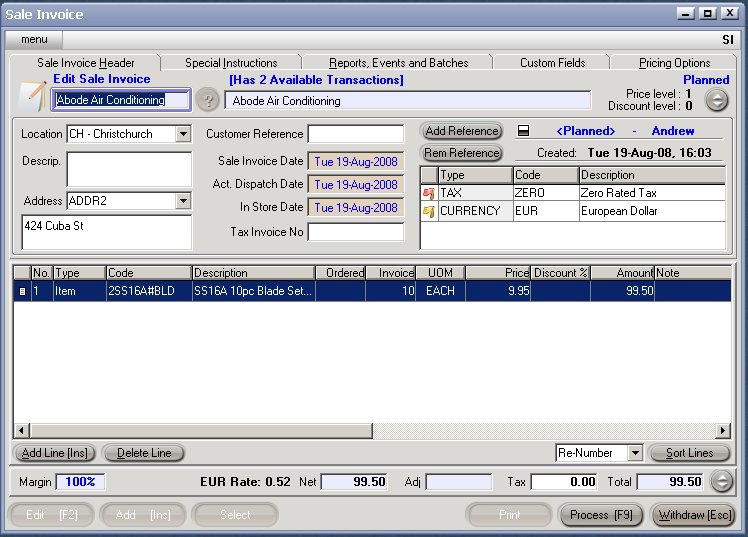
Once the overseas customer has been set up correctly (as detailed in the section within this chapter), to enter the Sales Invoice using a foreign currency, the procedure is as follows:
(The invoice can be formatted further by selecting the 'Comment' option on another line, and entering in any relevant headings).
Debit Accounts Receivable (Debtors)
Credit GST
Credit Sales
Debit Closing Stock
Credit Stock on Hand
(NB. The Sales Invoice may also be cancelled at any time before processing [F9], by clicking on the Withdraw [Esc] button).
The invoice may be printed out before completing immediately, either to the screen or to a selected printer.
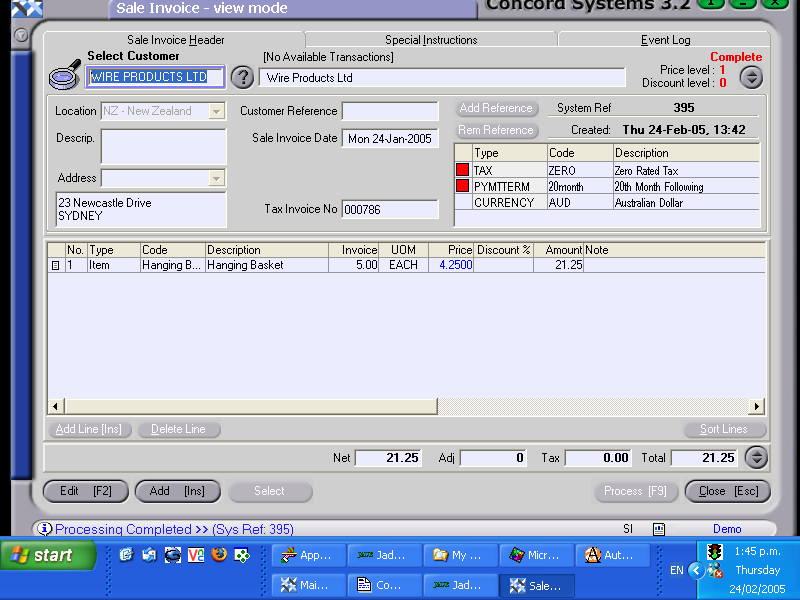
Once the Sales Invoice has been confirmed and completed, the figure which is automatically journalled to the Sales and Debtors account will be expressed in $NZ (converted as per the spot rate entered), yet the invoice to be sent to the client will be in the foreign currency value. An example of a completed sales invoice is shown below.
1. Check the settings in the reference table. They should automatically bring up the correct currency and tax conditions as you have previously set up in [CM]
2. Enter the Sales Invoice in the foreign currency value.
REMEMBER to ensure that the correct currency is displayed in the reference table, as the invoice will be produced in that currency.
Once the Sales Invoice has been confirmed and completed, the figure which is automatically journalled to your Sales and Debtors account will be expressed in $NZ (converted as per the spot rate entered), yet the invoice to be sent to your client will be in the foreign currency value. An example of a completed sales invoice is shown below.