Add the PRODUCTION Group to Items
If there are only a few items that required the PRODUCTION Group to be added - this should be done manually:
- Select the appropriate item using <IM>
- Hit Edit [F2]
- Go to the 'Data Lists' Tab
- Select 'References'
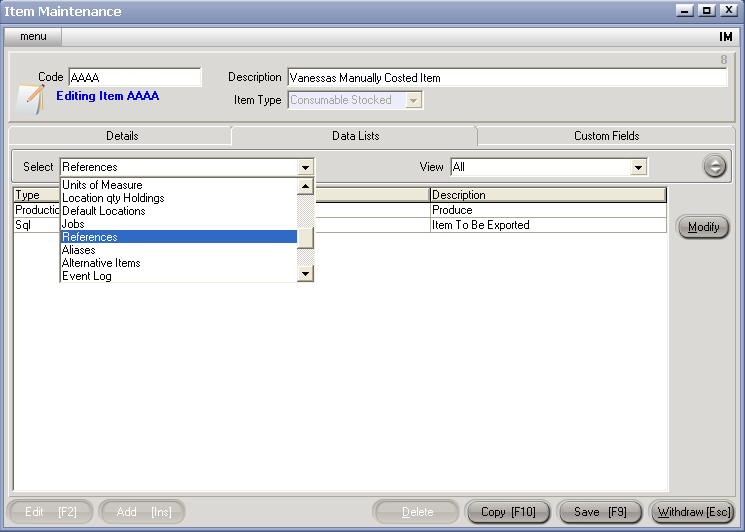
- Click Modify
- Enter the appropriate Group in the code column of the PRODUCTION Group Type
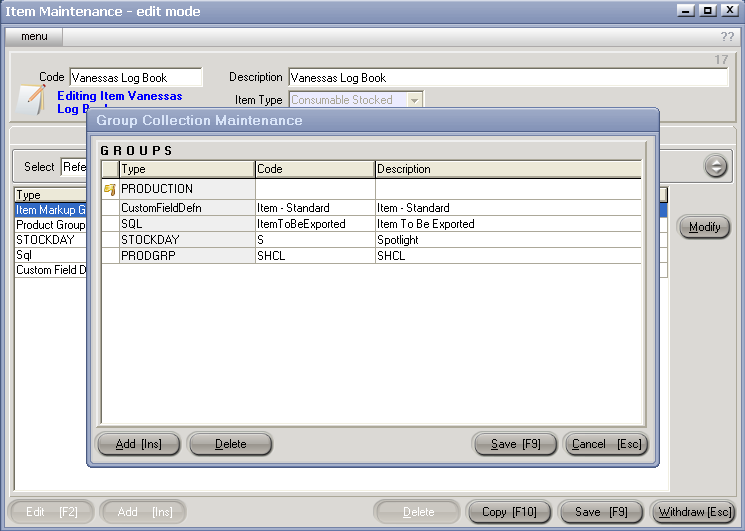
- Hit Enter
- Hit Save [F9] on the Group References dialogue box
- Hit Save [F9] on the Item Master
Note : If you have many Items to which the PRODUCTION Group is to be added - GBS can write a script to do this.


