The procedure for entering a new customer into Customer Maintenance <CM> is as follows:
Add [INS].
Code. Type in new customer name. This is the short name, and can be abbreviated if necessary.
Description. Type in the full name of the customer. (Maximum 60 characters).
Save [F9].
This establishes the customer record in the database.
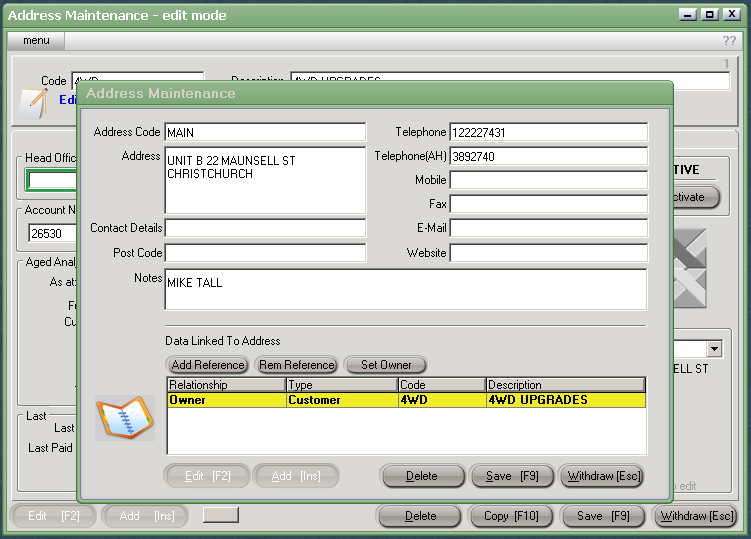
The Address Maintenance screen will automatically appear.
Create an address code, usually the main address of the customer, although as many address codes can be created as required, if for example if the customer has a different postal address to the delivery address, or different warehouse locations.
Enter the relevant address and contact details.
Update [F10] and Save [F9].
Close [Esc], which will return to the Data List screen.
(Depending on the configuration it may be necessary to define some references for the customer before the account can be activated).
Use the down arrow key to select 'References' and click to highlight.
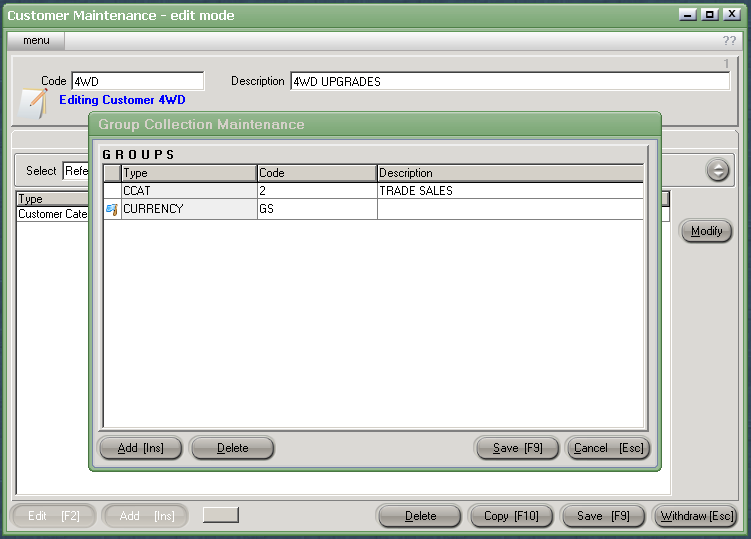
Click on Modify. The Group Collection Maintenance Screen will appear.
The Tax Code will default to 'GST' . To edit, click on Modify, highlight the box 'GST' and use the [up/down arrow keys + shift key] to change and Save [F9].
Add [INS] and click on the down arrow button to highlight type, CURRENCY.
Click on Currency code, then use [up/down arrow keys + shift key] to select the appropriate Currency (usually $NZ).
Save [F9].
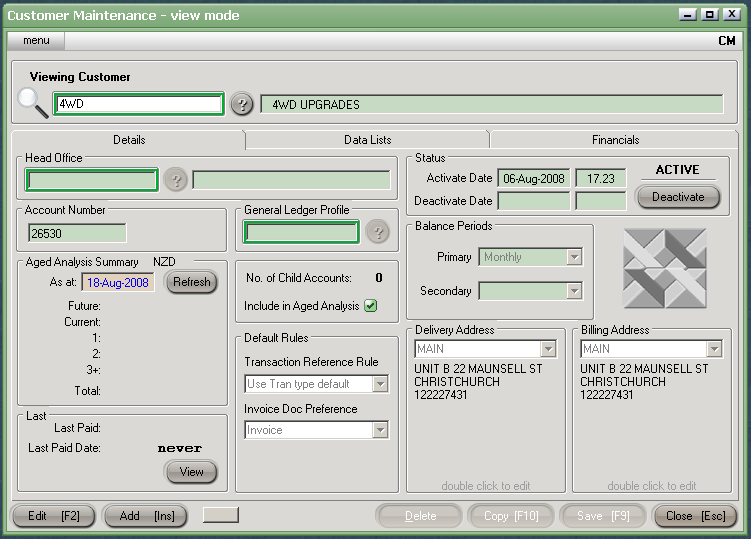
Return to the details screen by clicking on DETAILS.
Activate the customer for use by clicking on Edit [F2] and clicking ACTIVATE, then Save [F9].