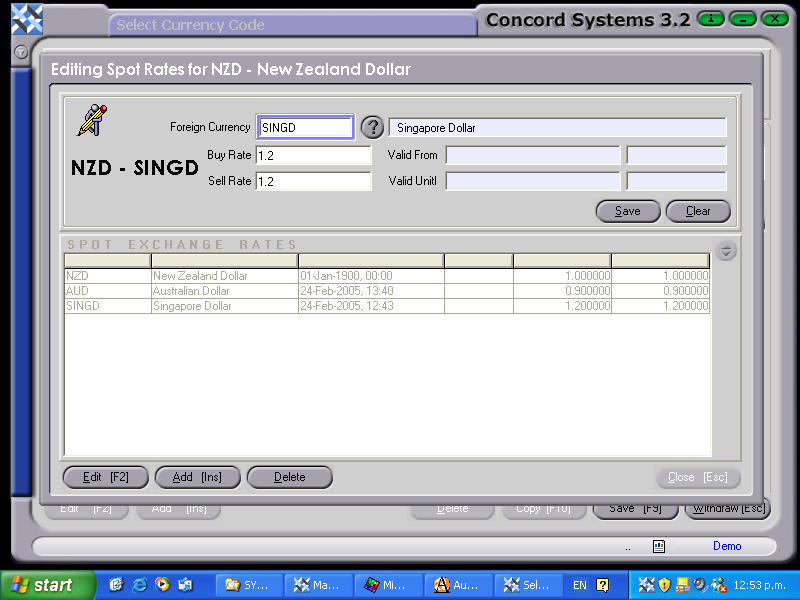
A Spot Rate for a foreign currency must be entered before the currency is used in a transaction.
Spot rates should be entered against the $NZ, as the BUY RATE is the rate that is used in Concord.
The procedure for entering a spot rate is as follows:
Select the required Foreign Currency.
Click on the 'Data Lists' header.
Use the down arrow to select Spot Rates.
Concord will automatically default to $NZ, being the usual base currency.
Edit [F2].
Modify.
Select the currency required for the spot rate to be entered against, by clicking on the ?, clicking to highlight and select [F3], or using the [up/down arrow keys].
Buy Rate. Enter the rate required. A Sell Rate should also be entered. It is recommended that the same figure as the Buy Rate is used. (as the 'Sell Rate' feature is still under development).